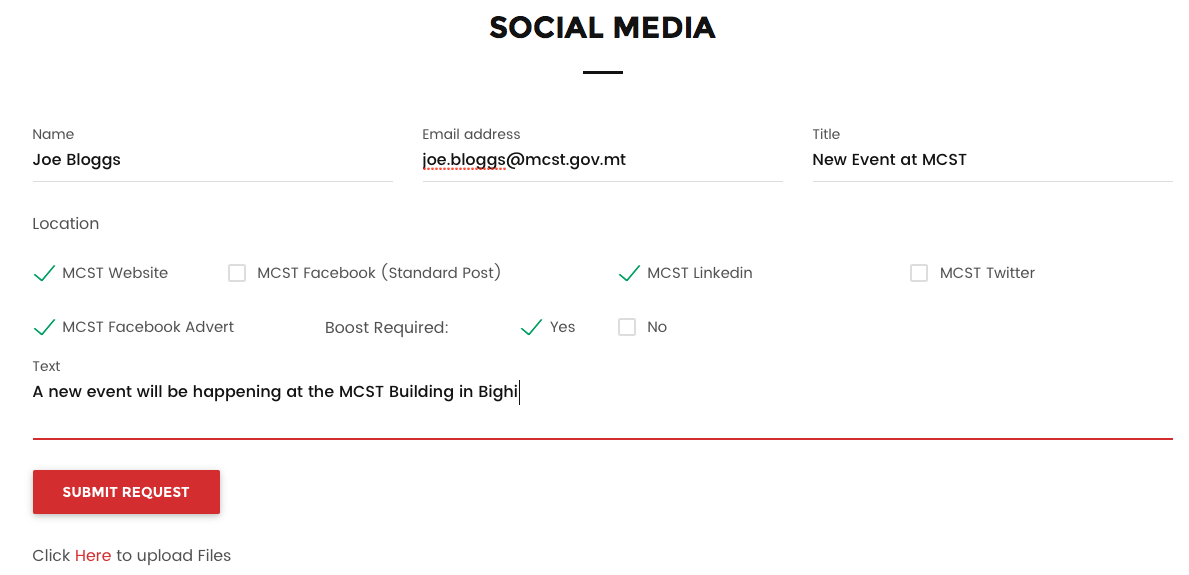
When entering the Social Media Request Services page (Click here to enter) you will see the below shown form that incorporates all the elements required to be able to request Social Media Request Services.

Fields:
Name: Enter your name and Surname
Email: Enter your email address (Required)
Title: Enter the title of the update required
Location: Enter the location of the update as per the selection below
Boost Required: Enter Yes or No.
Text: Enter the content of the update.
To upload the files please click on the “Click Here to Upload Files” and an Email Prompt will pop up so that you can attach the files to be uploaded.
0 Comments